It goes on the tower you already have
AirGuard clamps onto your existing structure and hardware. Nothing gets ripped out, and the sectors you are running stay up while it goes on.
AirGuard Core bolts onto the towers you already own and listens to the whole band, continuously, in every direction. It works out what the interference is, which way it is coming from, and which channel to move to. All of that happens on the tower, before anyone gets in a truck.

Interference does not wait for a ticket. It starts, it sits there, and the first thing on your network that actually reacts to it is a customer picking up the phone.
Something on the band goes loud. Every radio on the tower is now working around it.
Fourteen hours later. That call is the first thing on your network that reacts to any of it.
After a ticket, a truck, and an afternoon on the mast with an analyser.
By the time you know there is a problem, it is a truck roll, an SLA credit, and an afternoon on the tower with a spectrum analyser.
What finding out late actually costsNo new tower, no forklift upgrade, no downtime on the sectors you are already running. It clamps to the steel, draws its own power, and does its thinking where it stands.
Caps the spider plate
Passive cooling, no moving parts
Eight arms at 45° spacing
IP rated, tilted outward and up
One on every arm bracket
Clamps to the tower steel you have
Five things happen between the day it goes up and the morning it saves you a truck roll. None of them need you on the tower.
AirGuard clamps onto your existing structure and hardware. Nothing gets ripped out, and the sectors you are running stay up while it goes on.
Eight antennas wake up and start reading the band in every direction around the site, not just the arc your own radios happen to face.
An onboard Jetson Orin class module runs the model right there on the mast, so the analysis never has to leave the tower to be useful.
The interference that was invisible a minute ago now has a name, a bearing and a strength above the noise floor.
AirGuard names the channel to move to, or makes the change itself where your integrations allow. That is the outage that never happens.
Three things have to be true before an alert is worth anything. It has to notice, it has to know what it is looking at, and it has to tell you what to do next.
A multi antenna array reads the band continuously and works out the bearing of whatever it finds, no matter which way the interference is pointing.
Analysis runs on the unit itself, on Jetson Orin class hardware. Nothing waits on a backhaul link, and the raw spectrum never has to leave the site to be useful.
AirGuard classifies the source, locates it, and names the channel to move to. Where your vendor integrations allow it, it makes the change for you.
Two field units, AirGuard One and AirGuard PTP. Each pairs with a Companion Device and runs on NVIDIA Jetson Orin class hardware, so the analysis holds up on a mast, on its own, in weather.
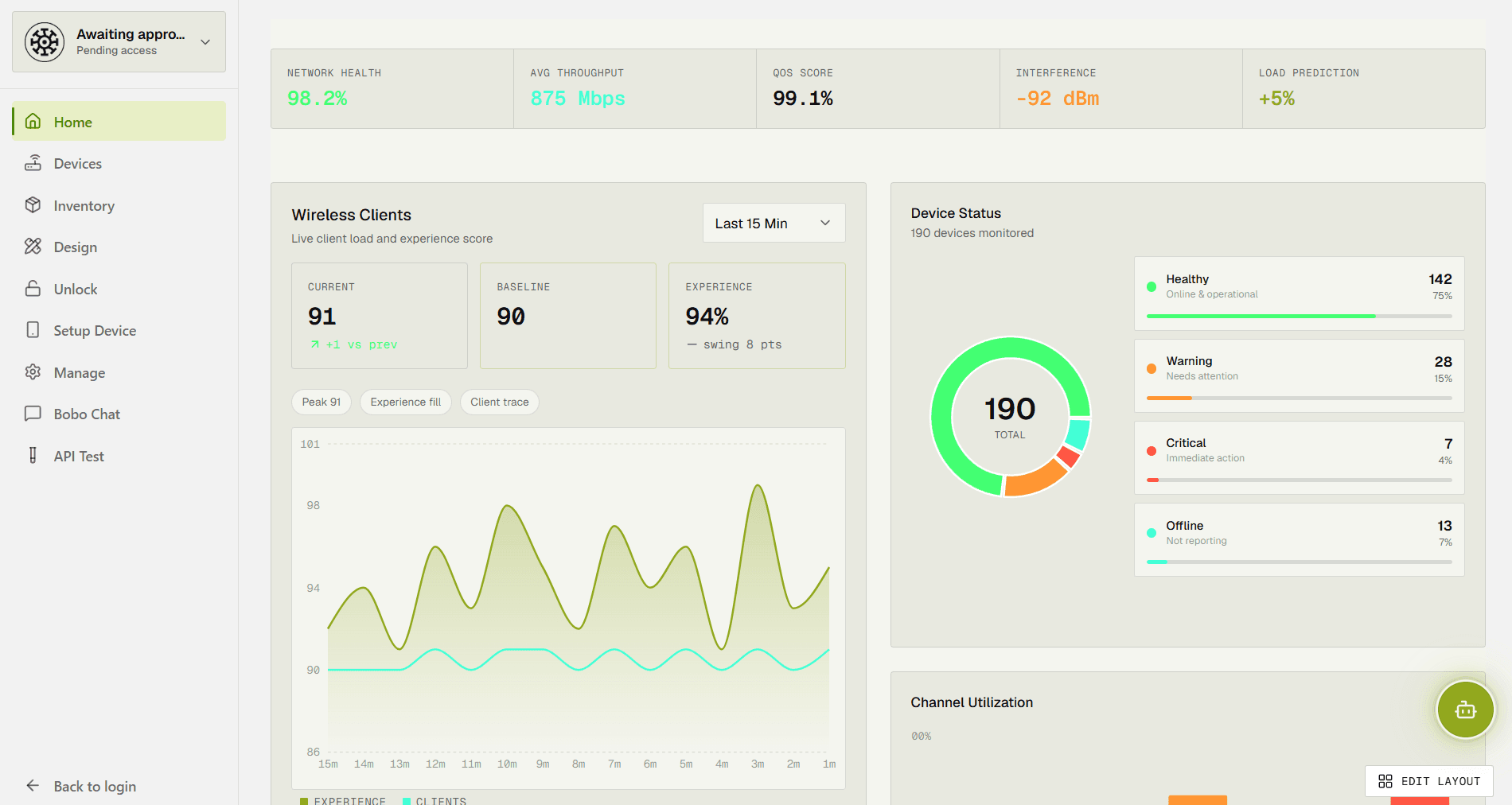
Our own model does the analysis on the device. The dashboard is where you watch the whole fleet at once and see how the network is behaving across every site you run.
It is the first question every operator asks. AirGuard is not a replacement for the system you already run. It covers the part of the network that system was never able to see.
Vendor tools report on their own radios through device telemetry. Interference comes from everything else on the band: the operator next door, unlicensed gear, somebody's weather link. AirGuard reads the live RF environment, so the source shows up even when it is not yours.
Single vendor tools stop at their own equipment, and hardly any tower is single vendor now. AirGuard bolts onto whatever is already up there and works across vendors, so one view covers the whole site.
The manual alternative is a spectrum analyser and a drive out after a customer complains. AirGuard detects, classifies and locates the interference as it happens, then names the channel to move to.
These are the sentences that come up in almost every conversation we have with an operator. We have stopped being surprised by them.
Interference across our network was a constant battle. AirGuard's prototype was the first time we could actually see it, so we started fixing things before customers noticed.
A small team with the mix this needs: embedded AI, network security, product, and the commercial side of getting it onto real towers.

Leads AirGuard's strategy and growth, from scaling the company to building the partnerships that bring it to market.
Talk to RyanBuilds AirGuard's core technology, with a background in embedded systems, edge AI and network infrastructure.
Talk to ChristopheThe people who actually build the thing: security, design, engineering, and the relationships that get AirGuard out into the world.






We are opening AirGuard to a first group of networks. Tell us what you run and we will come to you.